Open this page in Chrome on your Android phone.

YOUR STORIES, ONE TAP AWAY
Install the app. Watch without the browser.
Add it to your home screen for faster access, a full-screen experience, and no app-store download.
↓
One-tap install on Android
Tap the button below. Chrome will open its secure installation prompt—confirm once and you are done.
Tap “Install now” and confirm the browser prompt.
Open the new icon from your home screen.
⌂
Install on iPhone in 3 easy steps
Apple installs web apps through Safari’s Share menu. Follow the picture and steps below.
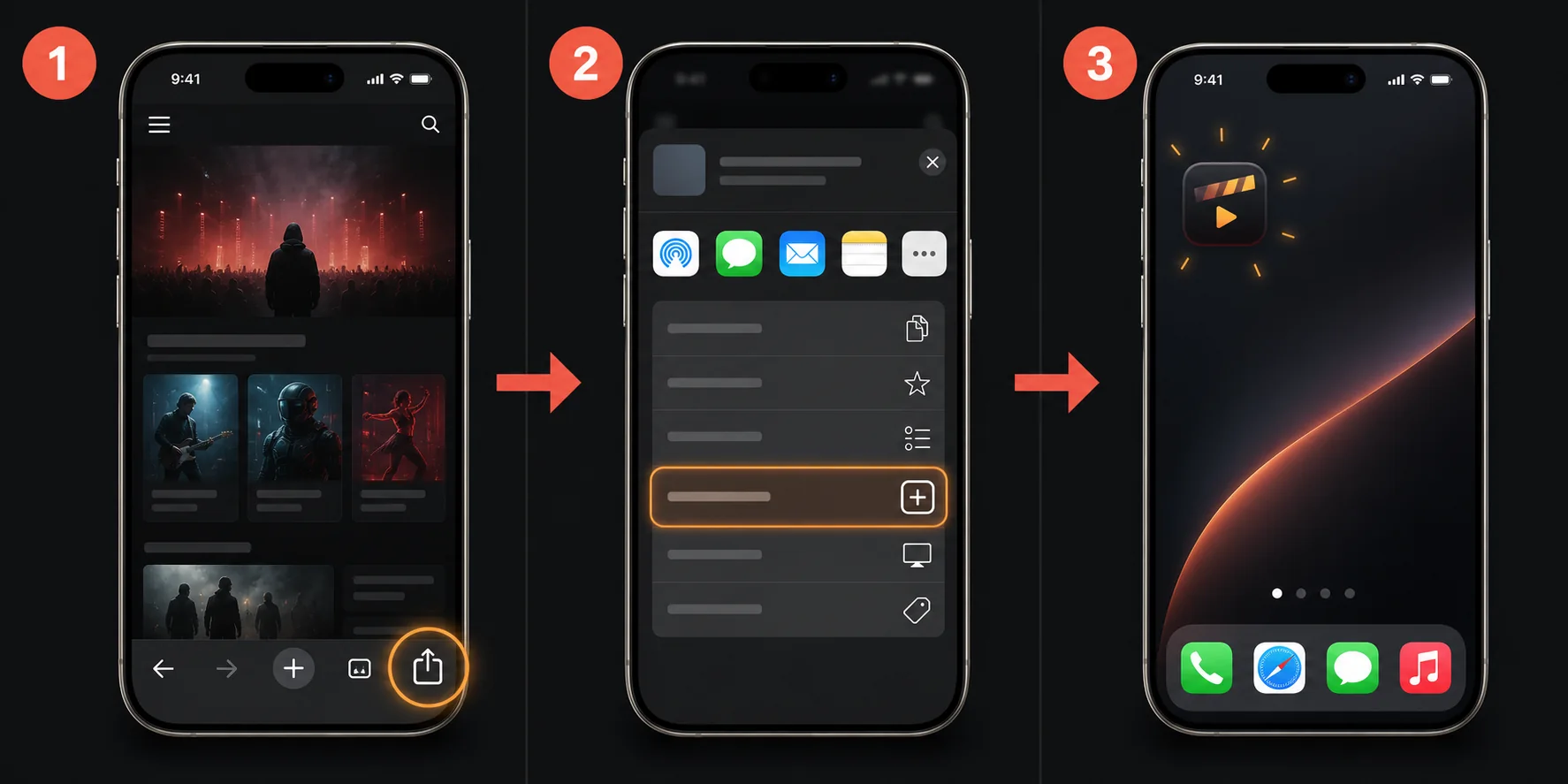
Open the Share menu
In Safari, tap the Share icon in the toolbar: a square with an upward arrow.
Choose “Add to Home Screen”
Scroll down in the share sheet and tap the item with a plus inside a square.
Tap “Add”
Confirm Add in the top-right corner. The app icon will appear on your home screen.